
SmartClinic Billing Software 2026: GST-Ready Clinic Billing — Review, Pricing & Features
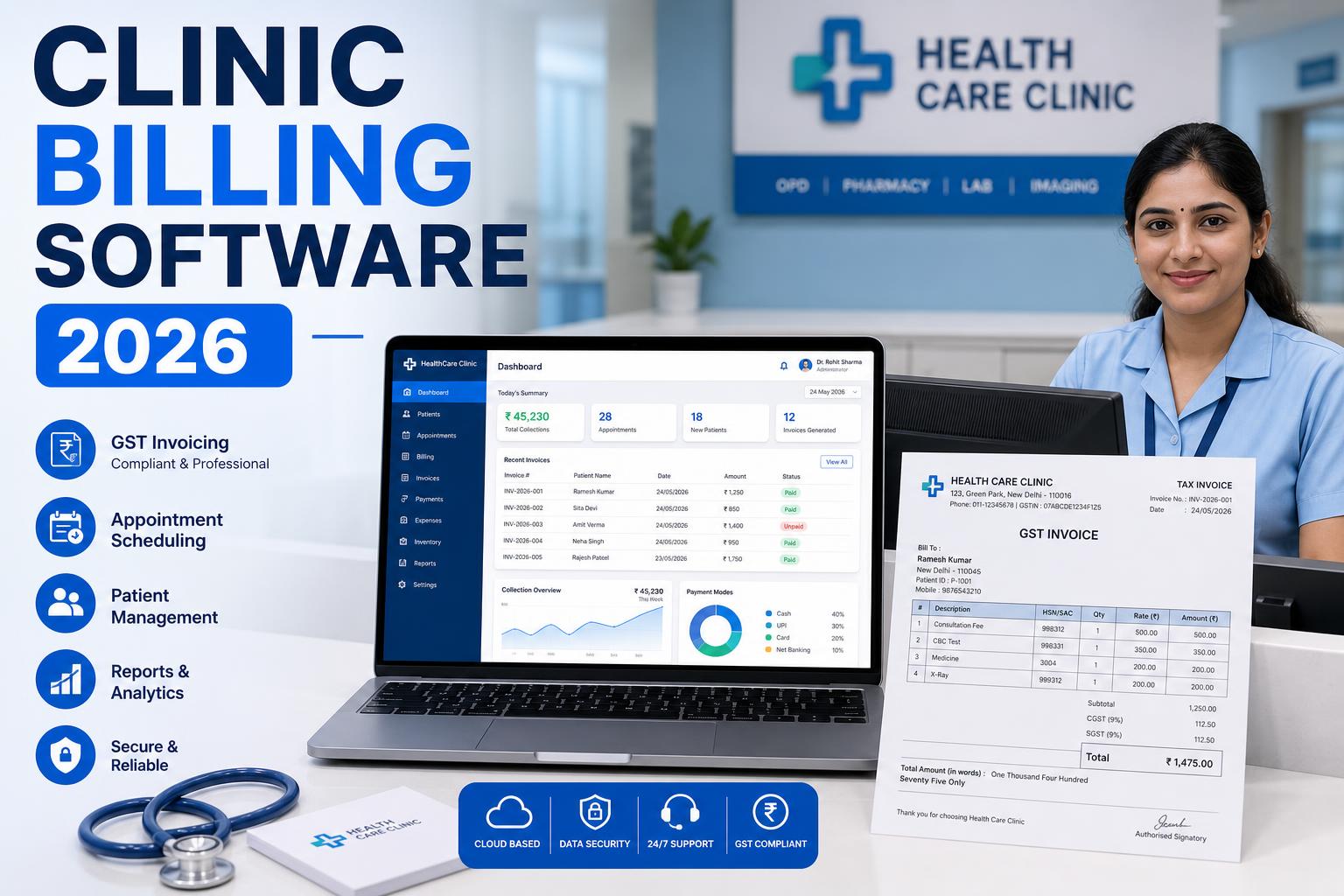
SmartClinic Clinic Billing Software 2026 is a modern, GST-ready cloud billing solution for Indian clinics, polyclinics and diagnostic centres — a smart replacement for Tally, Excel and legacy desktop software.
Overview & Why It Matters in 2026
India's healthcare technology market is rapidly going digital in 2026. SmartClinic Billing Software 2026 is a cloud-based solution specifically designed for Indian clinics, hospitals and medical businesses — with GST compliance, NABL-friendly reporting, multi-branch support and built-in WhatsApp/SMS automation. From a single-chair clinic to a multi-branch hospital, this software eliminates paperwork and tracks revenue in real time.
Key Features
- GST Invoicing: GST 2.0 compliant invoices with per-item GST, HSN codes and automatic round-off.
- Multi-Service Billing: OPD, Pathology, USG, X-Ray, ECG, IPD and Pharmacy — each with service-wise sequential numbering.
- Thermal + A4 Print: Thermal token for the front desk and A4 invoice for accounts — all from a single screen.
- WhatsApp Bills: Send the patient's bill directly to their WhatsApp as a PDF.
- Daily Collections Dashboard: Real-time summary of cash, UPI, card and net banking collections.
- Multi-Branch Support: Manage 1 to 50 branches from a single login.
- Auto Cloud Backup: Your data stays safe even if a PC crashes or the power goes out.
Fees & Pricing Plans
Below is an indicative pricing table (please confirm actual rates on the official website):
| Plan | Monthly Fee (INR) | Includes |
|---|---|---|
| Starter | Rs. 499/mo | 1 user, GST billing, WhatsApp invoice |
| Professional | Rs. 999/mo | 5 users, multi-service billing, reports |
| Multi-Branch | Rs. 2,499/mo | Unlimited users, 5 branches, API access |
| Enterprise | Custom | 50+ branches, dedicated support, SLA |
Note: A 7-day free trial is available — no credit card required. GST at 18% is applicable on all plans.
Documents Required for Onboarding
- Clinic registration certificate (Clinical Establishments Act)
- GSTIN certificate (if registered)
- Owner / Doctor PAN card
- Mobile number and email for OTP verification
- Logo and clinic letterhead (optional, for branded invoices)
Eligibility — Who Can Use This Software
- Single-doctor clinics, polyclinics and nursing homes
- Diagnostic centres, imaging centres and pathology labs
- Multi-specialty hospitals with up to 50 branches
- IMA-registered or State Medical Council-registered practitioners
How to Get Started — Step by Step
- Visit the official website and click on "Free Trial".
- Enter your clinic/business name, owner name, mobile number and email.
- Verify the OTP and set up your clinic profile (logo, GSTIN, address).
- Import your services, medicines or test panels via CSV, or add them manually.
- Create staff users and assign roles (admin, receptionist, doctor).
- Generate your first bill or report and share it via WhatsApp or print.
Compliance & Government Regulations
The software operates in accordance with applicable Indian laws — the GST Act 2017, Drug & Cosmetics Act 1940 (where applicable), Clinical Establishments Act 2010, and the Digital Personal Data Protection Act (DPDP) 2023. Official references:
- GST Portal — gst.gov.in
- CDSCO — Central Drugs Standard Control Organization
- Clinical Establishments Act — Ministry of Health & Family Welfare
- MeitY — Digital Personal Data Protection Act 2023
Frequently Asked Questions (FAQ)
Q1. Is SmartClinic Billing Software GST 2.0 compliant?
Yes. The software generates fully GST 2.0 compliant invoices with per-item GST, HSN codes, CGST/SGST/IGST split and automatic round-off.
Q2. Can I import data from my old Excel or Tally setup?
Yes. Rate cards and patient masters can be bulk-imported via CSV — most clinics complete onboarding within 30 minutes.
Q3. Does the software work without internet?
Being cloud-based, a basic internet connection is required. However, a temporary offline mode queues bills locally and syncs them once the connection is back.
Q4. How does the patient receive the bill on WhatsApp?
After the bill is generated, click 'Send WhatsApp' — a PDF invoice is automatically delivered to the patient's registered mobile number.
Q5. What happens after the free trial ends?
After the 7-day free trial you can pick a plan. Any data created during the trial carries forward when the plan is activated.
Related Guides on Trending Now India
- How to Apply Aadhaar Card Online 2026 — Complete Guide
- How to Apply PAN Card Online 2026
- e-Shram Card 2026 Apply Guide
- Income Certificate 2026 Online Apply
Official Website
To start your free trial, visit the official page: https://smartclinicindia.com/clinic-billing-software
Disclaimer: Pricing, features and eligibility may change over time. Please confirm with the official website and an authorised representative before making a final purchase decision.
What's your reaction?
Related Stories

India Launches Indigenous BharatGPT AI Platform 2026: A New Era in Artificial Intelligence
Discover India's indigenous BharatGPT AI platform, a groundbreaking innovation in artificial intelligence. Learn about its features, benefits, and impact on the tech industry.

India Launches Indigenous BharatGPT AI Platform 2026: A New Era in Artificial Intelligence
India launches indigenous BharatGPT AI platform, a new era in artificial intelligence, with advanced features and benefits, know more about this groundbreaking technology
India Launches Indigenous BharatGPT AI Platform 2026: A New Era in Artificial Intelligence
Discover India's latest breakthrough in AI technology with the launch of BharatGPT, set to revolutionize industries and boost economic growth. Learn more about its features and implications.